XCode 26.5 日本語化計画
元のドキュメント:developer.apple.com/documentation/swiftui/buttonstyleconfiguration/role
インスタンスプロパティ
role
ボタンの目的を説明する、オプションの意味的役割。
iOS 15.0+ iPadOS 15.0+ Mac Catalyst 15.0+ macOS 12.0+
tvOS 15.0+ visionOS 1.0+ watchOS 8.0+
let role: ButtonRole?
議論
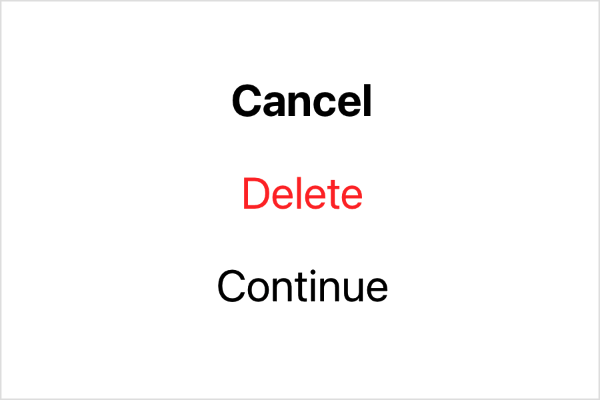
値が nil の場合、Buttonに役割が割り当てられていないことを意味します。ボタンに役割が割り当てられている場合は、その役割を使用してボタンの外観を調整します。以下の例は、役割が cancel の場合に太字のテキストを使用し、役割が destructive の場合に red のテキストを使用し、それ以外の場合は特別なスタイルを追加しないカスタムスタイルを示しています。
struct MyButtonStyle: ButtonStyle {
    func makeBody(configuration: Configuration) -> some View {
        configuration.label
            .font(
                configuration.role == .cancel ? .title2.bold() : .title2)
            .foregroundColor(
                configuration.role == .destructive ? Color.red : nil)
    }
}
このスタイルを使って各ボタンを 1 つずつ作成し、効果を確認してみてください。
VStack(spacing: 20) {
    Button("Cancel", role: .cancel) {}
    Button("Delete", role: .destructive) {}
    Button("Continue") {}
}
.buttonStyle(MyButtonStyle())
トップへ
トップへ
トップへ
トップへ
トップへ
トップへ
トップへ
トップへ
トップへ
トップへ
トップへ
トップへ
トップへ
トップへ
トップへ
トップへ
トップへ
トップへ